Dash cam
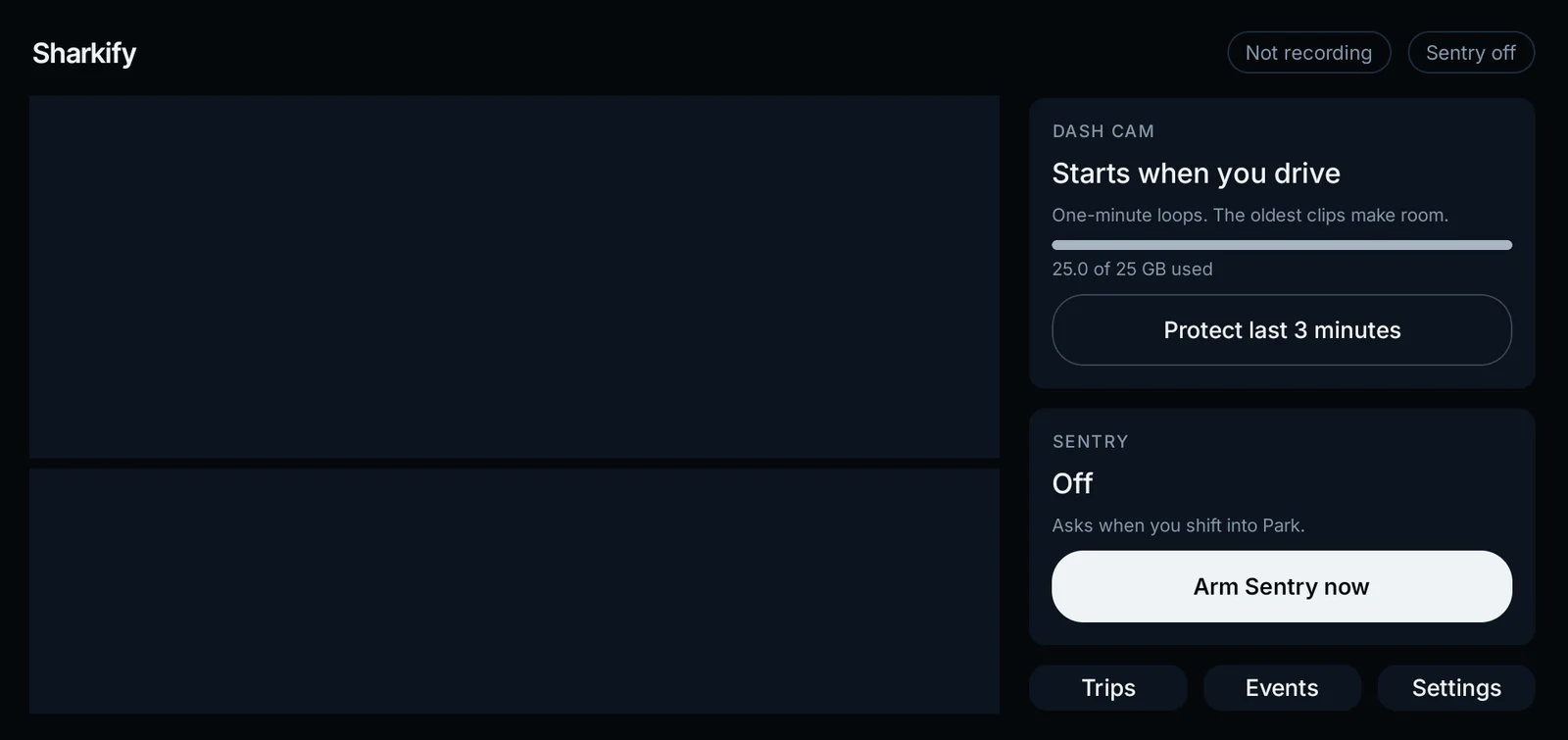
Every trip is recorded automatically, front and rear, and logged under Trips. Tap once to keep the last three minutes.
A dash cam, Sentry on all four cameras, and your videos on your iPhone. Your phone puts it on the Shark in about 10 minutes. No laptop, no cables, no forum threads.
For the BYD Shark 6 in Australia.
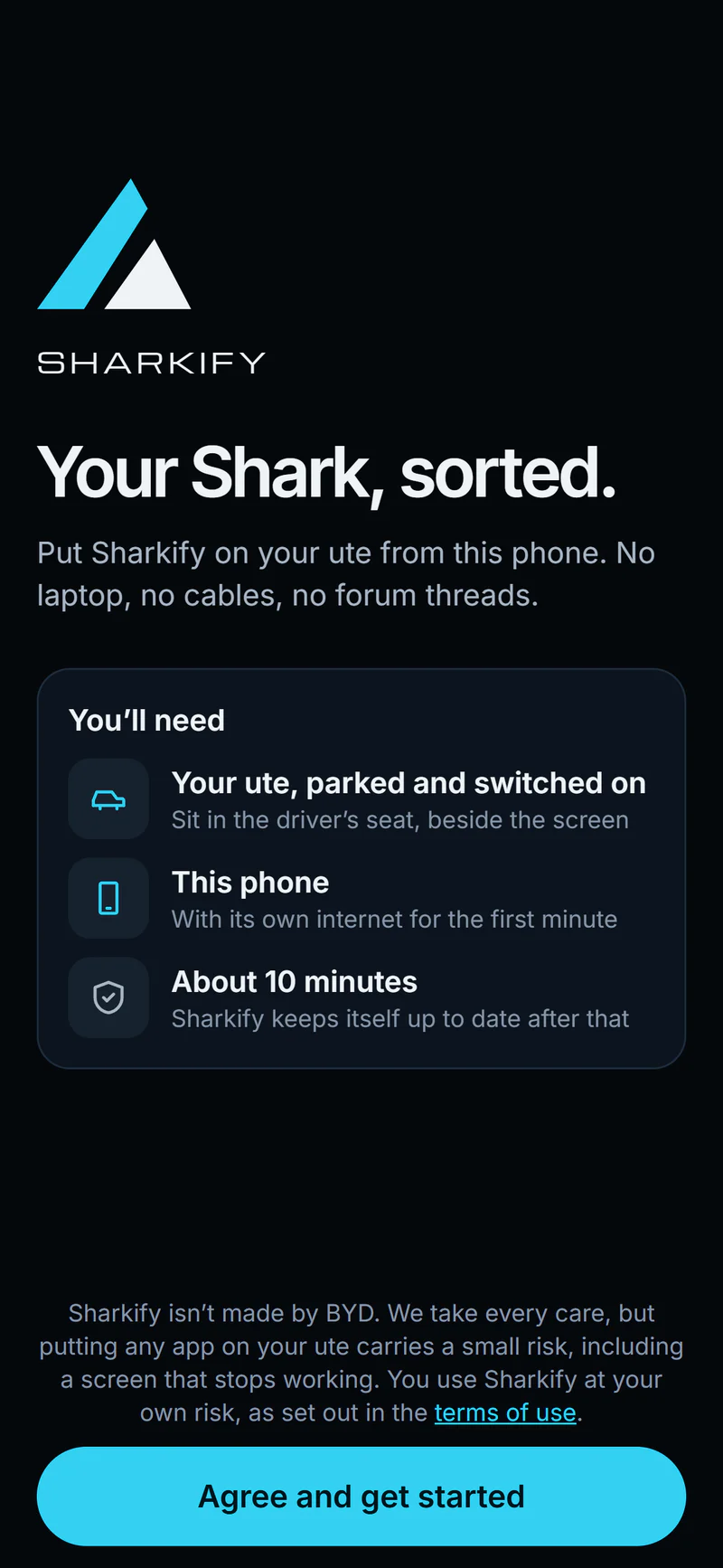
Three steps, about 10 minutes, sitting in the driver’s seat. After that Sharkify looks after itself.
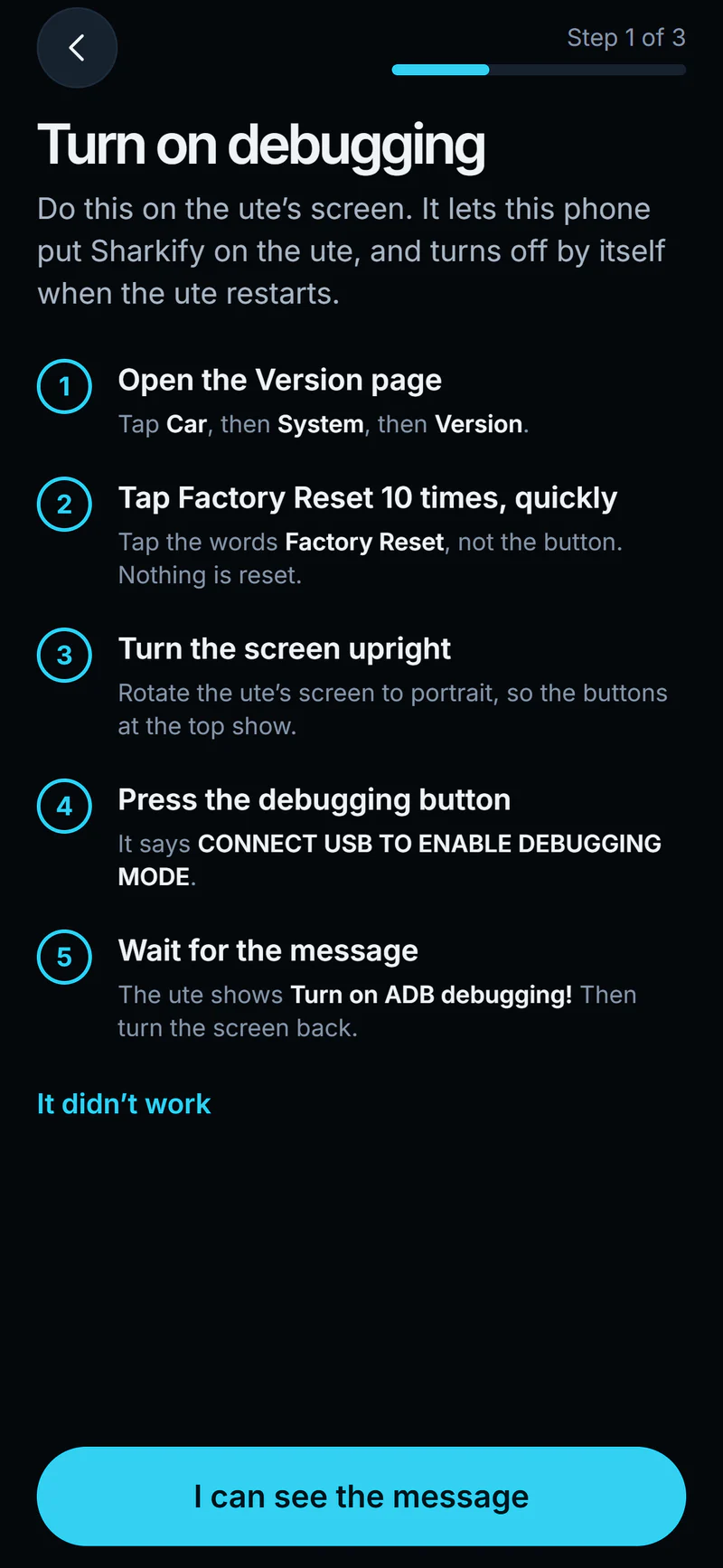
A few taps on the Shark’s own screen. The app walks you through them, and it turns itself off when the Shark restarts.
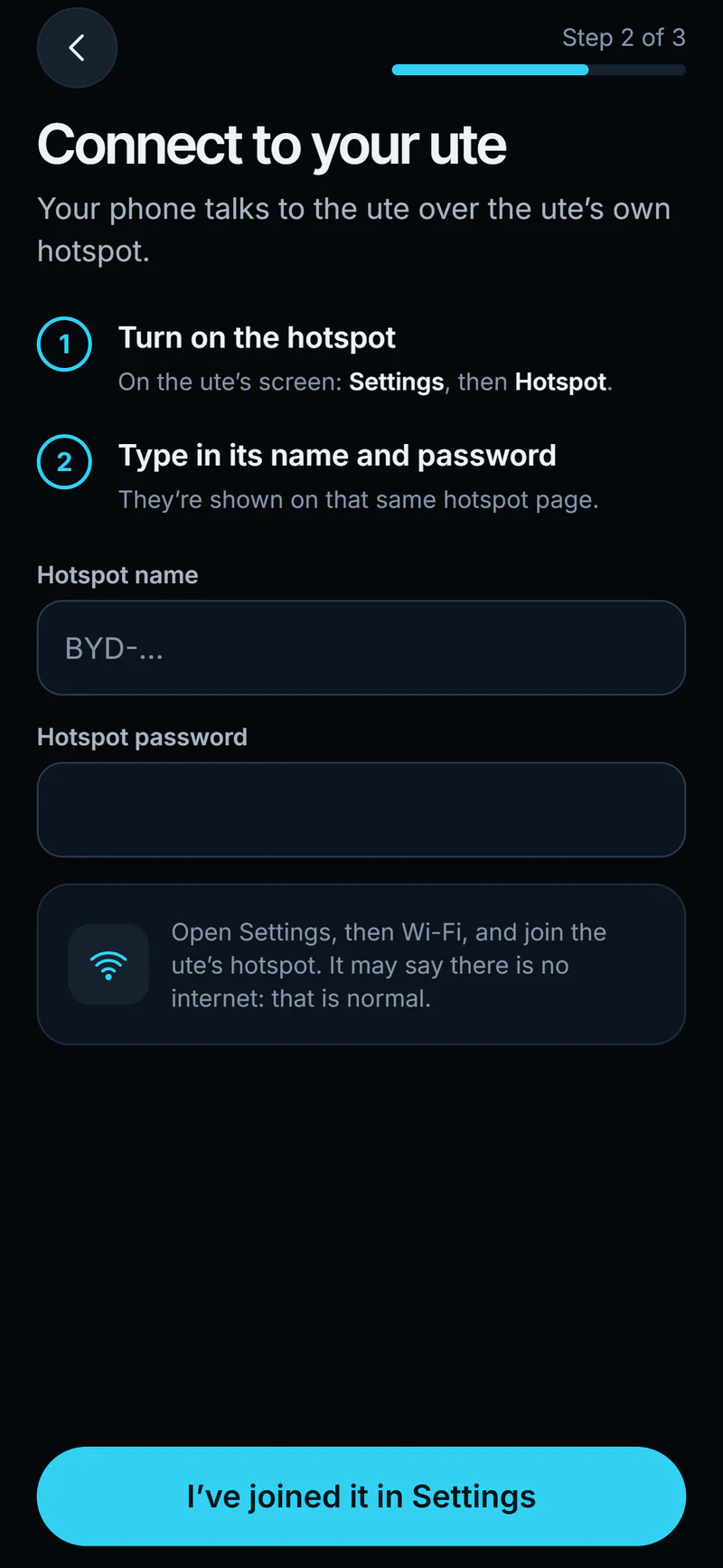
If the Shark is on your home Wi-Fi, the app finds it there. If not, your phone joins the Shark’s own hotspot with one tap.
Your phone sends Sharkify to the Shark, sets it up and opens it on the screen. Nothing to plug in, and usually nothing to tap.
The cameras are already on the Shark. Sharkify puts them to work.
Every trip is recorded automatically, front and rear, and logged under Trips. Tap once to keep the last three minutes.
Watches all four cameras while you’re away. It asks when you shift into Park, or arms itself when you lock up, and turns the climate, daytime lights and music off while it watches.
Get to your dash cam videos easily on your iPhone whenever you and your Shark are on your home Wi-Fi, or over its hotspot anywhere. Play them and save them to Photos. They come straight from your Shark, encrypted the whole way, never through our servers.
Sharkify updates itself while you’re parked. You install it once.
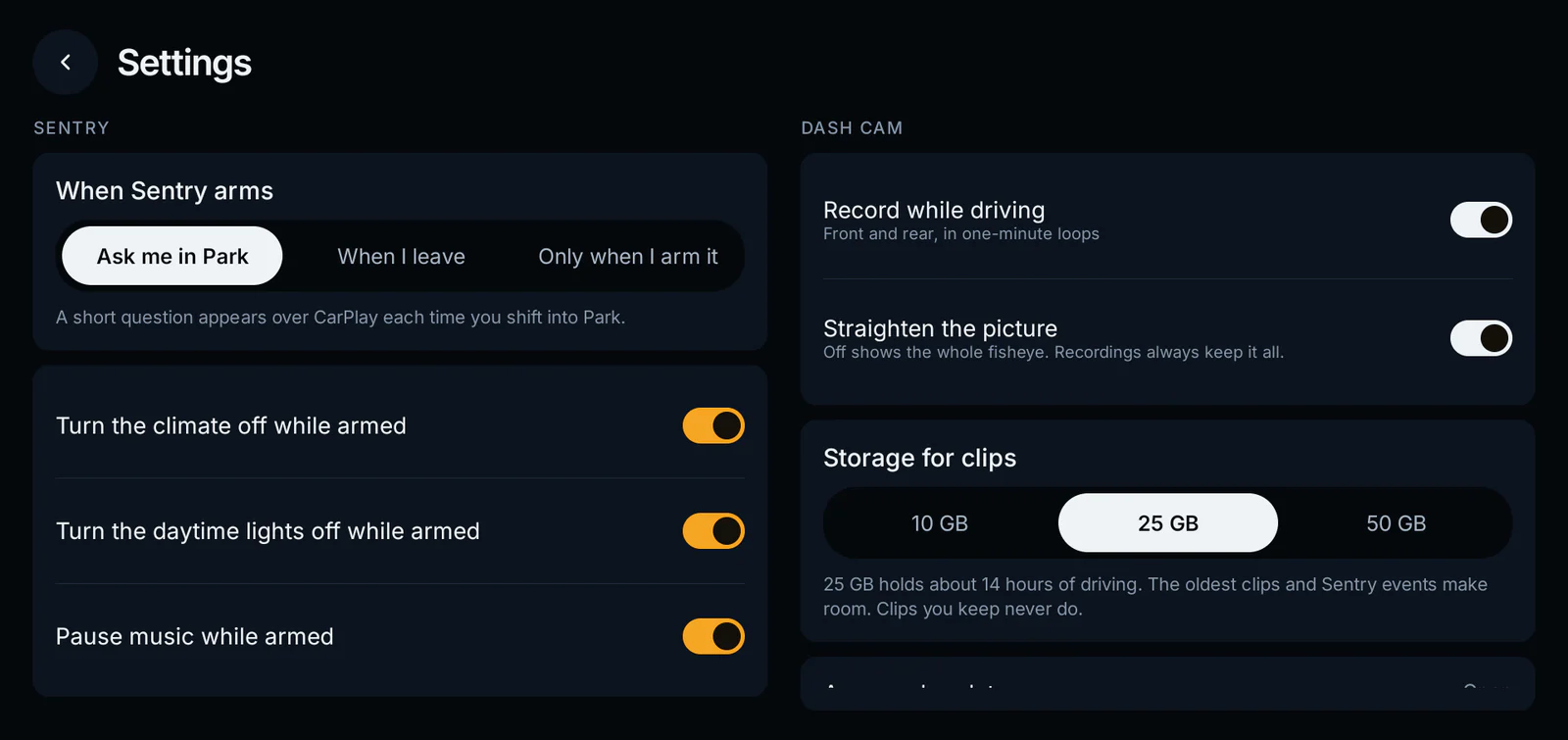
Sharkify’s settings, on the Shark’s own screen.
The camera pictures on this page are illustrations. Everything else is Sharkify as it runs.
Something else? Email support.
The BYD Shark 6 sold in Australia. Sharkify checks your Shark’s BYD software before it installs anything, and only goes on software it has been tested with. If yours is newer, nothing is changed and the app tells you.
No. The iPhone app does the whole install over Wi-Fi: your home Wi-Fi if the Shark is on it, or the Shark’s own hotspot. You turn on debugging on the Shark’s screen first, and the app shows you how.
They stay on the Shark. Your phone fetches the ones you ask for, straight from the Shark over Wi-Fi, encrypted the whole way. They never pass through our servers.
Sharkify checks for updates itself and installs them while you’re parked. You don’t need the phone, and nothing needs plugging in.
No. Sharkify is made by Promptive in Australia and isn’t connected to BYD. We take every care, but putting any app on your Shark carries a small risk, including a screen that stops working. You use Sharkify at your own risk, as set out in the terms of use.